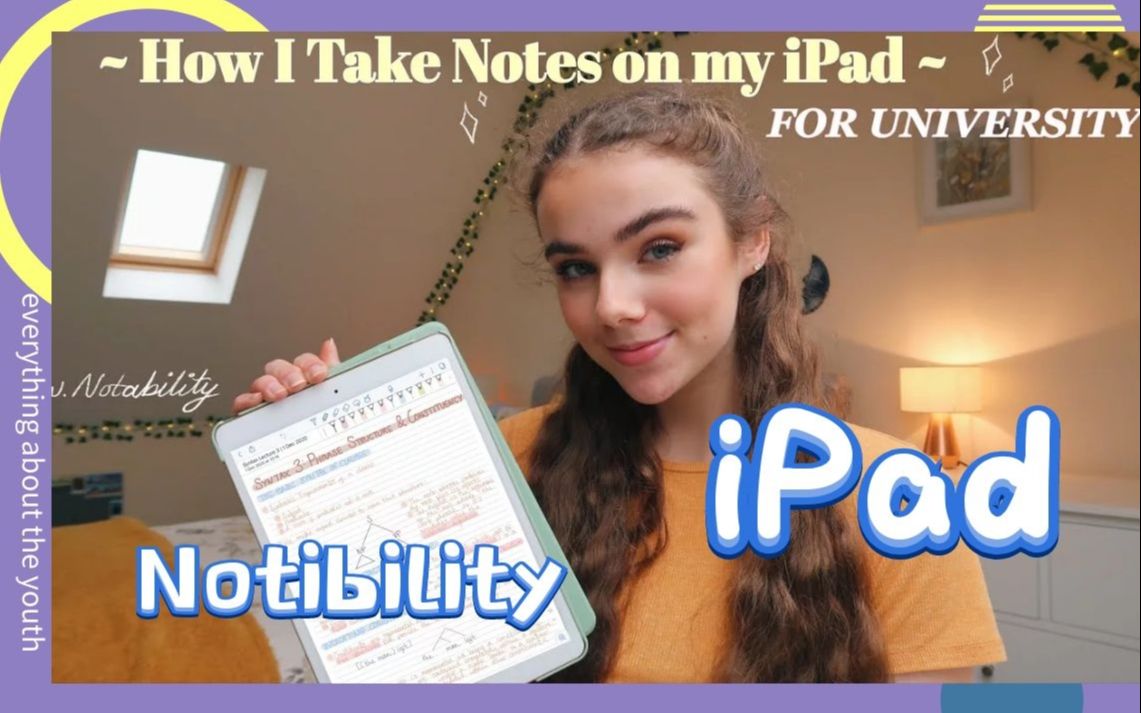
英国大学生分享:我如何在iPad上用Notibility做笔
字幕摘录
| 时间 | 英文 | 中文 |
|---|---|---|
| 0:00 | Hello everybody, welcome back to my channel. | 大家好 欢迎回到我的频道 |
| 0:01 | Today I'm going to be showing you an in-depth | 今天我要告诉你一个深入 |
| 0:04 | video on how I take notes on my iPad for university. | 关于我如何在iPad上为大学做笔记的视频。 |
| 0:07 | I also just want to say thank you to First | 我还想先谢谢你 |
| 0:09 | Rate Tutors for partnering with me on this video, I will talk about them a little bit | 收视率高的导师与我合作 这段视频,我会谈谈他们 |
| 0:12 | later on. | 后来. |
| 0:12 | I got this iPad for my birthday, you might have seen my video where I opened | 我生日的时候有这个iPad 你可能看到我的录影带了 |
| 0:16 | it and did an unboxing. | 它和做了一个解拳。 |
| 0:17 | Ever since I went to university I've been using this to take | 自从我上大学后 我就一直用这个 |
| 0:20 | my notes on and honestly it's changed my life. | 老实说,我的笔记改变了我的生活 |
展开字幕全文(250 条)
| 序号 | 英文 | 中文 |
|---|---|---|
| 1 | Hello everybody, welcome back to my channel. | 大家好 欢迎回到我的频道 |
| 2 | Today I'm going to be showing you an in-depth | 今天我要告诉你一个深入 |
| 3 | video on how I take notes on my iPad for university. | 关于我如何在iPad上为大学做笔记的视频。 |
| 4 | I also just want to say thank you to First | 我还想先谢谢你 |
| 5 | Rate Tutors for partnering with me on this video, I will talk about them a little bit | 收视率高的导师与我合作 这段视频,我会谈谈他们 |
| 6 | later on. | 后来. |
| 7 | I got this iPad for my birthday, you might have seen my video where I opened | 我生日的时候有这个iPad 你可能看到我的录影带了 |
| 8 | it and did an unboxing. | 它和做了一个解拳。 |
| 9 | Ever since I went to university I've been using this to take | 自从我上大学后 我就一直用这个 |
| 10 | my notes on and honestly it's changed my life. | 老实说,我的笔记改变了我的生活 |
| 11 | I find paperless so much easier and lighter | 我发现无纸化的更简单 |
| 12 | obviously because I don't have to carry folders and loads of paper to lectures or seminars | 很明显,因为我不用带 文件夹和大量纸张到讲座或研讨会 |
| 13 | Also it means everything's in one place, everything I need is in this little device. | 也意味着一切都在一个地方 我需要的就在这个小装置里 |
| 14 | It also syncs | 还同步 |
| 15 | to my phone so then if I'm on the bus or something then I can read through my notes if I need to | 所以,如果我在公交车上什么的 如果我需要的话,我可以读我的笔记 |
| 16 | and also if I forgot to bring my iPad to a seminar then I at least have notes that I may have done | 如果我忘了带我的iPad去参加研讨会... ...那么我至少有我可能做过的笔记 |
| 17 | in preparation for the seminar on my phone so I'm not completely stranded. | 所以我不会被完全困住 |
| 18 | I do find that writing | 我确实找到那本书 |
| 19 | up lectures on my iPad with an Apple pencil takes a lot longer than just typing but I also find that | 用苹果铅笔在我的iPad上讲课比打字要长得多 但我也发现 |
| 20 | they're a lot nicer to look back on in the future. | 将来他们更能回顾过去 |
| 21 | I find that I can revise from those kinds of notes | 我发现我可以从这些笔记中修正 |
| 22 | a lot more easily than just typed font. | 要比打字机简单得多。 |
| 23 | I don't know why, that's just me personally, everyone's | 我不知道为什么,那只是我个人,每个人都 |
| 24 | different of course. | 当然不同了 |
| 25 | Okay so first of all I want to talk about the equipment that I use. | 好吧,所以首先我想谈谈 我使用的设备。 |
| 26 | Equipment, | 设备, |
| 27 | I don't know if you want to call it that. | 我不知道你想这样称呼它。 |
| 28 | This is my iPad as I've already shown you and I believe | 这是我的iPad,我已经告诉你了 我相信 |
| 29 | that this is the 128 gigabyte 2019 7th generation iPad. | 这是128千兆字节 2019第七代iPad。 |
| 30 | I also have it in gold, you can just sort | 我也有金色的 你可以整理一下 |
| 31 | of see a little bit through there that it's gold and in this case that I have on is from Amazon, | 我从亚马逊那里得到金子 |
| 32 | I'll link everything down below for you. | 我会把下面的东西都连接起来 |
| 33 | Then I also have an Apple pencil, I have the first | 我还有一个苹果笔,第一个 |
| 34 | generation Apple pencil because it's the one that works with this iPad and here it is. | 生成苹果铅笔,因为它是 与iPad 工作,在这里。 |
| 35 | It's | 这是 |
| 36 | just an Apple pencil. | 只是一个苹果笔。 |
| 37 | I also bought this little grip for it because I was finding that I was | 我也买了这个小握手它 因为我发现我是 |
| 38 | just slipping off when I was trying to write and this has changed the game for me. | 我只是在写作的时候溜走了 这改变了我的游戏 |
| 39 | I just bought | 我刚买了 |
| 40 | a pack of three off Amazon which again I'll link down below for you but they just allow me to | 亚马逊的三包,我再联系下去,但他们允许我 |
| 41 | write a lot more easily. | 写得轻松多了 |
| 42 | And then I keep this in this little case which just looks like this, | 之后我把这个放在这个小案子里 看上去是这样的 |
| 43 | it's very simple but it does the exact job that I wanted it to do. | 很简单,但它完成了我想要它完成的任务。 |
| 44 | I can pop my little Apple pencil | 我可以弹出我的苹果笔 |
| 45 | in there and then it also has spaces for nibs but I find that those little gaps for the spare nibs | 在那里,然后它也有空间 nibs 但我发现这些小缺口 对于备用的nibs |
| 46 | are a bit big and I just can't really get them out again. | 有点大,我无法再把它们弄出来 |
| 47 | So I just put my spare nib in this pocket | 所以我就把备用的刀放进这个口袋 |
| 48 | over here which you can zip up and then it's a bit more secure. | 在这里你可以拉上拉链,然后它会比较安全。 |
| 49 | I just find this really helpful | 我只是觉得这真的有用 |
| 50 | for safely carrying my Apple pencil to and from university. | 安全携带我的苹果铅笔 往返大学。 |
| 51 | Also if I'm at an in-person seminar | 而且,如果我在一次面对面的研讨会上 |
| 52 | or lecture I will usually type my notes. | 我通常会打笔记 |
| 53 | So this is the keyboard that I use, this is a Logitech one, | 这就是我用的键盘 这是Logitech的 |
| 54 | Bluetooth keyboard. | 蓝牙键盘. |
| 55 | It's really light and easy to carry around with me so that I can take my notes | 这真的轻而易举 随身携带,这样我就可以拿走我的笔记 |
| 56 | wherever I am. | 无论我在哪里 |
| 57 | And since I haven't had many in-person seminars or lectures so far this year, | 由于今年我还没有举办过很多面对面的研讨会或讲座 |
| 58 | that hasn't really been what I've been using the majority of the time. | 我大部分时间都用不到这个 |
| 59 | But when I'm in person I | 但当我当面 |
| 60 | find it a lot easier to keep up with the lecture if I'm typing than if I'm writing because otherwise | 如果我在打字 比在写作容易多了 否则 |
| 61 | I just get too far behind. | 我只是走得太远了 |
| 62 | I'll also leave the screen protector I have for my iPad down below | 我也会离开我的iPad的屏幕保护器 下面 |
| 63 | if you want to know which one I have. | 如果你想知道我有哪个 |
| 64 | The app that I use for taking notes is called Notability, | 我用来做笔记的应用程序叫做"知名度" |
| 65 | you probably have heard of this already. | 你可能已经听说过了 |
| 66 | I was trying to decide between GoodNotes and Notability | 我想在"好记"和"名声"之间做决定 |
| 67 | and I watched a few videos on it and decided on Notability and honestly I love it. | 我看过一些视频 并且决定了知名度 老实说,我喜欢它。 |
| 68 | Really glad | 痷蔼砍 |
| 69 | that I chose Notability and now I'm going to show you how I take my notes. | 我选择了名声 现在我要告诉你我如何记笔记 |
| 70 | Okay I've just moved over | 好,我刚搬过来 |
| 71 | so that I can put the screen up here for you and so you can see what I'm doing. | 这样我就可以把屏幕在这里为你, 这样你就可以看到我在做什么。 |
| 72 | So when you open the | 所以当你打开 |
| 73 | Notability app this is the screen that you'll see and if you go into settings then you can change | 引人注意的应用 这是你会看到的屏幕 如果你进入了设置,你可以改变 |
| 74 | your sort of settings obviously. | 您的设置显然。 |
| 75 | So I have it set on light at the moment but you can choose dark, | 所以我现在有灯光 但你可以选择黑暗 |
| 76 | dark blue or jet black. | 深蓝色或喷射黑色。 |
| 77 | But I personally find that light is the nicest one. | 但我个人觉得光线是最好的 |
| 78 | You can also change the | 你也可以改变 |
| 79 | way your subjects look so if you have colourful subjects on then it will look like that and if | 你的主体看起来如此,如果你有 彩色的主体, 那么它会看起来像,如果 |
| 80 | you turn that off then it will look something like that. | 你关掉它,然后它会看起来像什么。 |
| 81 | And I personally prefer it like that, | 我个人更喜欢这样 |
| 82 | I just think it looks a bit cleaner and neater. | 我只是觉得它看起来有点干净和整洁。 |
| 83 | Yeah you can just play around with all your | 你可以随便玩玩 |
| 84 | You can choose whether you want the pages to be seamless or single-paved, you can choose what | 您可以选择您希望页面是无缝的还是单页的, 您可以选择什么 |
| 85 | colour you want your paper to be and whether you want lines, squares, dotted, all of that kind of | 颜色,你想要你的纸张 和是否要行,方块,点,所有类型的 |
| 86 | stuff and I think it's just fun to sort of play around with the settings and choose what works | 和一些东西,我觉得它只是乐趣 排序周围玩 设置和选择什么工作 |
| 87 | for you. | 给你的 |
| 88 | You can also create divides of subjects and folders. | 也可以创建主题和文件夹的分隔. |
| 89 | So I currently have two folders which | 所以我现在有两个文件夹 |
| 90 | are semester one and semester two and then within each folder I have all of my different modules so | 一学期和二学期 然后在每个文件夹里 我都有不同的模块 |
| 91 | all the different subjects and then within a subject you can have different notes as you can | 所有不同的科目,然后在一个科目内,你可以有 不同的笔记,你可以 |
| 92 | see. | 看到没? |
| 93 | If you want to add a new folder or divider as they call it you just go to this add button | 如果您想要按他们所说的添加新文件夹或分隔符, 请直接到此添加按钮 |
| 94 | and click divider. | 并单击分隔符。 |
| 95 | I'm going to call it YouTube and then you can just go into that and add a new | 我要叫它YouTube 然后你可以直接进去 加入一个新的 |
| 96 | subject except it's gone in the wrong place so I'm just going to type something and then move it | 除了它走错地方了,我只好打字然后移动 |
| 97 | into the correct folder. | 输入正确的文件夹。 |
| 98 | So that's basically a rundown on how to create your subjects and your | 所以,这基本上是一个运行 如何创建你的主体和你的 |
| 99 | folders. | 文件夹。 |
| 100 | It just helps me to stay so organised with all of my different modules and have everything | 它只是帮助我保持如此组织 与我的所有不同模块 和拥有一切 |
| 101 | in their separate places. | 在他们各自的地方。 |
| 102 | So to make a new note you just need to go to this button in the corner | 所以,为了做一个新的音符,你只需要去 这个按钮在角落 |
| 103 | up here and then you get a screen that looks like this. | 在这里,然后你得到一个屏幕 看起来像这样。 |
| 104 | You can change the paper if you go | 你走了可以换报纸 |
| 105 | to these three little dots and I personally like the thinnest lines but you can choose the | 对这三个小点 我个人喜欢最薄的线 但你可以选择 |
| 106 | thickness of the lines or squares or dots. | 线条或方块或点的厚度。 |
| 107 | Okay so once you've set up your page the way you want to | 好吧,所以一旦你设置了你的页面 你想的方式 |
| 108 | have it you can choose what pen you want to use. | 你可以选择你想用什么笔。 |
| 109 | So you have text, pen, highlighter, rubber, this | 所以,你有文字,笔,亮点,橡胶,这个 |
| 110 | like lasso tool which I'll talk about a little bit later and then just the normal select so you can | 像拉索工具,我待会再谈 然后只是正常的选择,这样你就可以 |
| 111 | like go through the page without doing anything. | 就像不做任何事就翻过页面 |
| 112 | So I'm going to show you a bit more detail about | 所以我要告诉你更多细节 |
| 113 | the actual pens. | 真正的笔。 |
| 114 | When you click on the pens you can see that you can choose which thickness you | 点击钢笔时,可以看到您可以选择哪个厚度 |
| 115 | want. | 想要吗? |
| 116 | So there's this like mid one, really thick, thinner, really you just choose whatever works for | 所以,这就像中间一个, 真正厚,薄, 你真的只是选择什么工作 |
| 117 | you. | 你们 |
| 118 | I tend to change between the thicknesses depending on what I need. | 我倾向于在厚度之间变化 取决于我需要什么。 |
| 119 | You can also decide | 你也可以决定 |
| 120 | what type of pen you want. | 你想要什么样的笔。 |
| 121 | So there's monoline, this is like a pen so if I use a thicker pen | 所以有单线,这就像笔 如果我用更厚的笔 |
| 122 | you'll be able to see that the thickness of it depends on how hard you press. | 你会看到它的厚度取决于你按的有多硬 |
| 123 | You can also | 你也可以这样 |
| 124 | choose to have a dashed line if you want which will look like that or you can have a dotted line | 选择有虚线, 如果您想要的话, 这条线看起来会是这样, 或者你可以有一个虚线 |
| 125 | which looks more like this. | 它看起来更像这个。 |
| 126 | So of course you can choose the colours that you want to use | 因此,您当然可以选择您想要使用的颜色 |
| 127 | and there are sort of two screens I think of colours that come with the app and then I added | 有两张屏幕,我想到 颜色随应用程序而来,然后我加入了 |
| 128 | a few more of my own colours. | 再来一点我自己的颜色 |
| 129 | So the way that I found the colours I wanted was I went to this | 所以,我找到我想要的颜色的方式 是我去这个 |
| 130 | little plus button here and you can move this thing around to choose a colour or you can type | 这里有小的加按钮, 您可以移动这个东西来选择颜色或键入 |
| 131 | in a hex code. | 在六进制码。 |
| 132 | So I basically just looked up on Google neutral colour hex codes and it came up | 所以我基本上只查了谷歌中性颜色六进制码 |
| 133 | with a bunch of different colours that I could choose from and I just chose the ones that I | 我选择了不同的颜色 |
| 134 | would work for my colour scheme that I was kind of going for. | 我会为我的彩色计划工作 我打算做的。 |
| 135 | This is pretty much the same for | 这差不多一样 |
| 136 | highlighter. | 亮点。 |
| 137 | Again you can choose what thickness you want, you can choose what type of pen you | 你也可以选择你想要的厚度,你可以选择你的笔类型 |
| 138 | want and you can choose what colour you want. | 想要,你可以选择你想要的颜色。 |
| 139 | So for both of these you can choose your favourites | 所以对于这两个,你可以选择你最喜欢的 |
| 140 | so that can be favourite thicknesses, types of pen and colours and basically what you do is you | 所以,这可能是最喜欢的厚度, 笔的类型和颜色, 基本上你做什么 |
| 141 | go into this, you sort of select, I don't know maybe I want this green as a favourite and I | 进入这个,你有点选择, 我不知道也许我想要这个绿色 作为一个最爱,我 |
| 142 | wanted this thickness with this type of pen. | 想要这种厚厚的笔 |
| 143 | I just click favourites. | 我只是点击最爱。 |
| 144 | Okay well I've already | 好了,好了,我已经 |
| 145 | got too many favourites and I can't add anymore but when you do click favourites they turn up | 有太多的喜好,我不能再加了 但当你点击喜欢的时候,它们就会出现 |
| 146 | this thing here which I'm moving around and it basically just means that it's really convenient | 这个东西,我在这里移动 它基本上只是表示 它真的方便 |
| 147 | for you to click on whichever type of pen that you want at that time and it avoids you having to | 您可以点击您当时想要的任意类型的笔, 这样可以避免您不得不 |
| 148 | sort of go in and change it all the time and it's just a bit less of a faff and I found it to be a | 那种去 并改变它所有的时间, 它只是少一点点的faff,我发现这是一个 |
| 149 | lifesaver because I didn't realise you could do this at first and it's definitely changed the game, | 救生员因为我不知道 你一开始可以做到这一点 它绝对改变了游戏, |
| 150 | it saves so much time. | 它能节省很多时间。 |
| 151 | So for the rubber you can do a similar thing, you can choose what kind of | 所以对于橡胶,你可以做类似的事情, 你可以选择什么样的 |
| 152 | thickness you want and then you can also choose whether you want to do whole or partial. | 厚度您想要,然后您也可以选择是否要进行全方位或局部的操作. |
| 153 | If you | 如果你们 |
| 154 | do whole then I'll show you what it would look like. | 做一个完整的,然后我会告诉你 它会是什么样子。 |
| 155 | So you've sort of drawn something and then | 所以你画了些东西 然后 |
| 156 | use the whole rubber then it will just get rid of the whole thing whereas if you draw something | 用整块橡胶 就能把整块东西都处理掉 而如果你画些东西 |
| 157 | and then use partial it will get rid of it in parts and you can choose again the thickness that | 然后再用部分的 它会被部分清除 你可以再次选择厚度 |
| 158 | you want it to rub out so I could rub it out more thickly. | 你希望它擦掉 这样我就可以擦得更厚 |
| 159 | So I've already talked to you about hex | 所以我已经跟你说过Hex的事了 |
| 160 | codes and how to choose which colours you want but I thought I'd just talk to you a bit about | 密码和如何选择你想要的颜色 但我想跟你谈谈 |
| 161 | my colour scheme. | 我的彩色计划。 |
| 162 | So I use this brown shade here for titles and then I will highlight it in this | 所以我用这个棕色的阴影来做标题 然后用这个来强调 |
| 163 | brown highlighter and underline it with a brown line like this and just so you know if you draw | 棕色亮点,用这种棕色线线来下划, 让你知道,如果你画 |
| 164 | a line and it's like a wonky you can hold down and it will straighten up and then you can move | 一条线,它就像一个怪兽 你可以保持下来, 它会直立起来,然后你可以移动 |
| 165 | it back and forth like this and you can also do that for shapes so there's a circle and it will | 像这样的前后,你也可以做 形状,所以有一个圆,它会 |
| 166 | straighten out and you can adjust the size and then for subtitles I use blue and I write that | 理顺,你可以调整大小 然后字幕我用蓝色写 |
| 167 | in capital letters and then I highlight it in this blue pen and then for main body of writing I use | 在大写字母中,然后我用蓝色的笔来突出它,然后我用主要写作 |
| 168 | this like beige colour and then I highlight key things occasionally in this colour I also always | 我偶尔也会用这种颜色突出关键的东西 |
| 169 | highlight the little bullet point dots. | 突出显示小弹点点。 |
| 170 | For keywords I'll use this pink and then I'll highlight them | 对于关键词,我会使用这个粉红色的,然后我强调它们 |
| 171 | in the matching pink colour again if I'm doing dates or names of key people or like theorists | 如果我在约会 或关键人物的名字 或像理论家一样 |
| 172 | or something I use green and then highlight that in green you're getting the gist and then | 或者我用绿色,然后强调 在绿色中,你得到的焦点 然后 |
| 173 | for examples sometimes I'll use this lighter beige colour and highlight anything I need to | 有时我会用这种浅色的黄褐色来突出我需要的 |
| 174 | in the matching light beige colour. | 在匹配的浅色碧眼颜色。 |
| 175 | So that's a bit of a rundown on my colour scheme I personally | 我个人的颜色图案有点乱 |
| 176 | really like having a colour scheme I think it helps me to understand my notes better and if | 我真的很喜欢一个彩色的图案 我觉得这能帮助我 更好地理解我的笔记 如果 |
| 177 | I'm looking for a particular date or person I know I need to look for green if I'm looking | 我要找一个我认识的 特别的日期或人 我需要寻找绿色 如果我在找 |
| 178 | for a keyword I look for pink now I'm going to give you a little bit of insight into tools and | 对于关键词,我寻找粉色 现在,我要给你一点点 洞察的工具和 |
| 179 | hacks that I like to use things that might help you out too so first of all is a very obvious one | 黑客,我喜欢使用的东西 可能帮助你,所以首先是一个非常明显 |
| 180 | but you can zoom in if you want to make it more accurate and this really helps me out because I | 但你可以放大 如果你想使它更准确 这真的帮助了我 因为我 |
| 181 | am definitely a perfectionist when it comes to my notes which is very frustrating because it means | 说到我的笔记 绝对是个完美主义者 这非常令人沮丧 因为这意味着 |
| 182 | it takes longer if you are like that too and you've got a letter I don't know like d but it's really | 如果你也是那样的话,你需要更长的时间 而且你有一封信,我不知道像D,但它真的 |
| 183 | {\fn黑体\fs22\bord1\shad0\3aHBE\4aH00\fscx67\fscy66\2cHFFFFFF\3cH808080}那你就可以放大并加入这个 | |
| 184 | was a really bad example and also if you are wanting to write your notes on this sort of thinner | 是一个非常糟糕的例子,同样 如果你想写你的笔记 在这种更薄 |
| 185 | lined paper then sometimes it can be a bit small to do it from this far away so zooming in just | 线性纸,有时从远处做起来 可能有点小 所以放大 |
| 186 | helps for you to be able to see it a bit more easily so you want to draw a text box then all | 帮助您更容易看到它,所以您想要绘制一个文本框,然后全部 |
| 187 | you have to do is click on this t for text box and then you can click on directly draw text box just | 您必须点击此 t 以获取文本框, 然后点击直接绘制文本框 |
| 188 | there and it will just allow you to draw a text box and then once you've drawn the text box you | 它只允许你画一个文本框 然后一旦你画了文本框 |
| 189 | can just type in it whatever you want to type so yeah you can either do it like that or you can | 随便你打什么字都行 那样也可以 |
| 190 | write normal text on the lines like this another really cool thing you can do if you click this | 在行上像这样写出正常的文字,如果点击这个,你还可以做另一个很酷的事情 |
| 191 | plus button is add in these sticky notes and you can choose what type of paper you want you can | 加上按钮会加入这些粘性笔记,你可以选择您想要的纸张类型 |
| 192 | also scan in documents which is really useful if you've got sort of a handout from a lecture | 也可以在文档中扫描,如果有演讲的助益,那么这些文档真的有用 |
| 193 | or something that you want to put into your notes and you can take photos as well and you can also | 或一些你想放进笔记的东西 你可以拍照 也可以 |
| 194 | import photos from your photo library I do this all the time if I want to take a screenshot off | 从您的图片库中导入照片... ...如果我想拿一个截图的话,我总是这样做 |
| 195 | of a lecture so I will just screenshot it on my laptop airdrop it to my ipad and then I can | 讲课时,我用笔记本电脑拍下来 把它扔到我的IPAD上,然后我就可以 |
| 196 | put it in on my photo library this is a little syllable tree from one of my lectures so yeah I | 放在我的照片库里 这是我讲课时的一棵小树 |
| 197 | import that and then I can use the pencil tool and I can annotate it if I want another really | 输入它,然后我可以使用铅笔工具, 我可以说明它,如果我真的想要另一个 |
| 198 | useful thing that I like to do is if you have a bit of writing or something and you want to move | 我喜欢做的有益的事情是 如果你有一点 写什么,你想移动 |
| 199 | it or it's in the wrong place or you want to change its size then you can use this lasso tool | 它或者它在错误的地方 或者你想改变它的大小 然后你可以使用这个拉索工具 |
| 200 | I don't know what it's called that I showed you earlier and you can highlight it like this and | 我不知道这叫什么 我之前给你看 你可以这样突出它 |
| 201 | then change the size or move it around on the page you can also change it from this box setting to | 然后更改页面上的大小或移动,您也可以从此框设置更改为 |
| 202 | the sort of more lasso tool type setting and draw the line around it that you want which just helps | 一种更多的拉索工具类型设置, 并画出您想要的线条 |
| 203 | to be a bit more sort of specific and then you can again change the size and move it around another | 更具体一点,然后你就可以 改变大小,移动到另一个地方 |
| 204 | useful thing that you can do is import readings and stuff to your ipad so that you can highlight | 将读数和内容导入到您的IPad, 以便突出显示 |
| 205 | them and write annotations so sometimes if I've got a reading on my laptop and I want to engage | 写下笔记,有时如果在笔记本电脑上有读数 我想参与 |
| 206 | with it a bit more then I will airdrop it or email it to my ipad as a pdf and then I can just import | 再多加一点,我就把它扔下去,或者发邮件给我的PAPD 作为pdf,然后我就可以进口 |
| 207 | it into Notability and that just means it's a lot easier for you to work with the reading | 这代表你更容易完成阅读 |
| 208 | Hi guys I'm just interrupting this video really quickly because I want to talk to you about first | 嗨,伙计们,我只是打断这个视频 真的很快,因为我想先跟你谈谈 |
| 209 | If you don't know what they are, First Street Tutors are an education company who have recently | 如果你不知道他们是什么,第一街的导师 是一个教育公司,最近 |
| 210 | created a new online course for AQA English Language and Literature GCSE. | 为AQA英语语言文学GCSE创建了新的在线课程. |
| 211 | I can imagine | 我能想象出来 |
| 212 | this year with Covid it's been really hard for you to stay on top of revision and stay motivated | 今年和科维德在一起 你很难坚持下去 |
| 213 | and also I feel like with online classes maybe you haven't been able to get as much information | 我也觉得在网上上课 可能你没有得到那么多信息 |
| 214 | out of your classes as you maybe wanted to so I feel like that's where First Street Tutors is | 你可能想上什么课 我就觉得那是第一街的老师 |
| 215 | really going to help you out. | 真的会帮你的 |
| 216 | This course basically covers everything you'll need for the two exams | 这门课基本上涵盖你需要的两期考试 |
| 217 | So I'm just going to take you through what the course actually looks like so that you have a bit | 所以,我只是要带你 通过什么 课程实际看起来像 这样你有一些 |
| 218 | more of an idea of what it's like before signing up. | 更像是在报名前的感受 |
| 219 | So when you go into the course this is the | 所以当你走进航线,这就是 |
| 220 | page that you'll see so you can see there are tons of sections that she's got for you. | 你会看到一页 这样你就可以看到 有很多部分是她给你的。 |
| 221 | This | 这个 |
| 222 | course is run by Barbara who is a trained English Literature and English Language teacher and tutor | 课程由芭芭拉管理,她是受过训练的英语文学和英语教师和导师 |
| 223 | so you're in good hands. | 所以,你得到了很好的照顾。 |
| 224 | You can see that at the start of the course she gives you general | 你可以看到,在课程开始时 她给你的将军 |
| 225 | information for English Language and English Literature exams, gives you information about | 有关英语和英语考试的信息,请向您介绍 |
| 226 | concepts, terminology and even tells you how to write an essay and then she goes into detail with | 概念,名词,甚至告诉你如何写一篇论文 然后她详细介绍 |
| 227 | several of the texts that you'll need for English Literature. | 几篇你需要的英文文学课 |
| 228 | Then after that she goes over both the | 之后她又翻了两个 |
| 229 | love and relationships and power and conflict sections of the poetry anthology and also later | 爱情与关系 权力与冲突 诗歌的神话和后来 |
| 230 | on even goes over unseen poetry. | 连诗歌都没有 |
| 231 | Then for English Language she goes over paper one and paper two | 然后说英语 她翻一纸和二纸 |
| 232 | and then even gives information about how to approach the spoken assessment part of the exam | 然后甚至提供如何接近考试的口语评估部分的信息 |
| 233 | and throughout this course she's given you loads of model answers, practice questions, even ready-made | 在整个课程中,她给了你很多 模型解答,练习问题,甚至现成 |
| 234 | revision resources which is so helpful. | 修订资源很有帮助。 |
| 235 | So you can just see that this course covers everything you | 所以你可以看到这个课程涵盖了你的一切 |
| 236 | need to know, what's going to help you get those good grades if you're feeling behind. | 需要知道,有什么会帮助你得到这些好成绩 如果你感觉落后。 |
| 237 | So yeah if | 所以说,如果 |
| 238 | you are interested in this course I will leave a link for you down below in the description and | 您对这个课程感兴趣 我会在下面留下一个链接 |
| 239 | let's get back to the video. | 让我们回到视频。 |
| 240 | So yeah I think that's pretty much everything that I wanted to cover in | 所以,是的,我认为这是 几乎所有,我想涵盖 |
| 241 | today's video. | 今日视频. |
| 242 | I really hope it's been helpful. | 我真的很希望这有帮助。 |
| 243 | I just kind of wanted to tell you guys my tips | 我只是想告诉你我的提示 |
| 244 | and how I like to make my notes on my iPad because I find it so much easier than writing notes on | 以及我怎样在iPad上做笔记 因为我觉得比在iPad上写笔记容易多了 |
| 245 | paper and I will sort of bring a pad of paper to a lecture with me just in case but I usually do | 我会带一个纸板 与我一起讲课 以防万一,但我通常这样做 |
| 246 | most things on my iPad. | 大部分东西在我的iPad。 |
| 247 | I really hope you have found this video useful or if you've enjoyed it | 我真的希望你觉得这个视频有用 或者你喜欢它 |
| 248 | I would love for you to subscribe to my channel, give this video a thumbs up and leave a comment | 我很想你订阅我的频道, 给这段视频一个拇指 并留下一个评论 |
| 249 | down below and yeah I think that's pretty much everything and I will see you in my next video. | 在下面,是的,我想这几乎是一切, 我会看到你在我的下一个视频。 |
| 250 | Bye! | 再见! |
该视频共有字幕 250 条。解锁更多字幕为会员功能,请移动到 价格