如何优雅地使用Office Word记笔记?
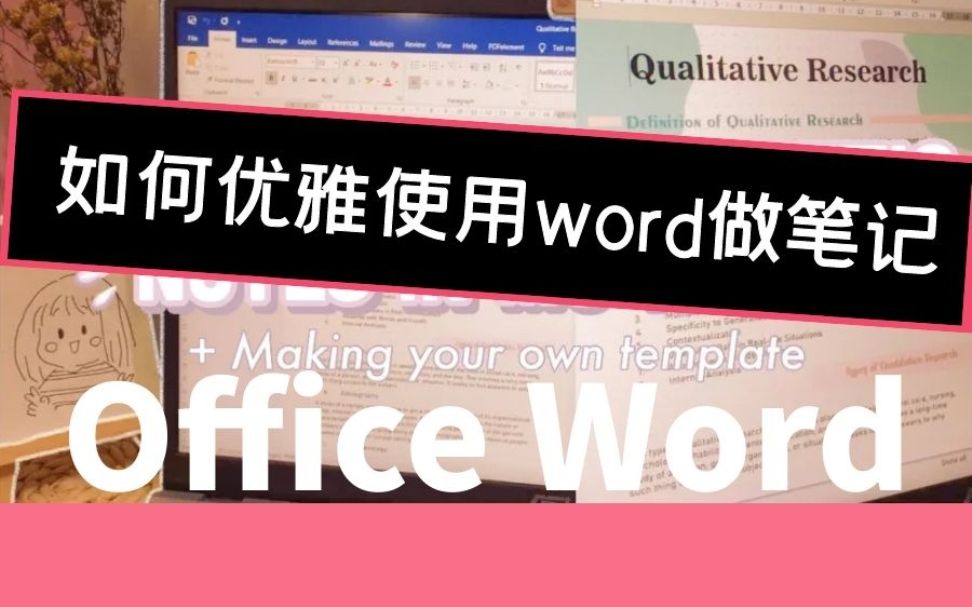
字幕摘录
| 时间 | 英文 | 中文 |
|---|---|---|
| 0:00 | Hey guys, what's up? | 嘿,伙计们,怎么了? |
| 0:01 | Welcome back to my YouTube channel. | 欢迎回到我的YouTube频道 |
| 0:03 | So we reached four key subbies. | 所以我们到达了四个关键子。 |
| 0:05 | Thank you so much for the support | 非常感谢你的支持 |
| 0:07 | Okay, so back to the video | 好,回到录像上 |
| 0:08 | So I've made a poll last Tuesday asking if what videos you want to see next and the option that has the highest vote is | 上周二我做了个民调 问您接下来想看什么视频 以及投票率最高的选项 |
| 0:15 | This one this video. | 这个视频。 |
| 0:17 | So for today's video | 所以今天的录像 |
| 0:18 | I will be showing you how to take aesthetic notes in Microsoft Word and on how to make your own template | 我会教你如何用微软Word 来做美学笔记以及如何制作自己的模板 |
| 0:24 | Without further ado, let's jump right into the video | 别再说了,我们跳进视频 |
展开字幕全文(125 条)
| 序号 | 英文 | 中文 |
|---|---|---|
| 1 | Hey guys, what's up? | 嘿,伙计们,怎么了? |
| 2 | Welcome back to my YouTube channel. | 欢迎回到我的YouTube频道 |
| 3 | So we reached four key subbies. | 所以我们到达了四个关键子。 |
| 4 | Thank you so much for the support | 非常感谢你的支持 |
| 5 | Okay, so back to the video | 好,回到录像上 |
| 6 | So I've made a poll last Tuesday asking if what videos you want to see next and the option that has the highest vote is | 上周二我做了个民调 问您接下来想看什么视频 以及投票率最高的选项 |
| 7 | This one this video. | 这个视频。 |
| 8 | So for today's video | 所以今天的录像 |
| 9 | I will be showing you how to take aesthetic notes in Microsoft Word and on how to make your own template | 我会教你如何用微软Word 来做美学笔记以及如何制作自己的模板 |
| 10 | Without further ado, let's jump right into the video | 别再说了,我们跳进视频 |
| 11 | So for the first part of this video, I will collect some designs, fonts and so on | 因此,对于这段视频的第一部分,我将收集一些设计,字体等等 |
| 12 | So first search for some dotted page background on the internet | 所以首先在互联网上搜索一些虚构的页面背景 |
| 13 | But don't you worry, I will put the link to this website in the description box so you can check it out | 不过别担心 我会把网站的链接放进描述框里 这样你就可以查查 |
| 14 | So here it offers some printable dots grid in different sizes | 因此这里提供了一些不同大小的可打印点网格 |
| 15 | I just use the A4 size since that's the size of my band paper and after you choose wait for it to download | 我只是用A4的尺寸,因为那是我的乐队纸的大小 在你选择之后,等待它下载 |
| 16 | Then it will be downloaded as a PDF. | 之后将作为PDF下载. |
| 17 | So first you have to convert it into an image | 所以首先你必须把它转换成图像 |
| 18 | So I just open my Wondershare PDF element and choose the convert to image option | 所以我打开我的Wondershare PDF元素 选择转换成图像选项 |
| 19 | So once you convert your PDF save it to your device | 因此,一旦你转换您的 PDF 保存到您的设备 |
| 20 | You know what guys I think to make your digital works is aesthetically pleasing. | 你知道什么家伙,我想 让你的数字作品是 美学取悦。 |
| 21 | There should be cohesiveness | 应该有凝聚力 |
| 22 | So my secret to that is finding some color palettes at colorhunt.co | 因此,我的秘密是找到一些彩色调色板 在clorhunt.co。 |
| 23 | So by the way, this is not sponsored but I do use colorhunt | 顺便说一句,这个不是赞助的,但我确实用彩色搜索 |
| 24 | So they offer you a variety of palettes and you can easily copy and paste its color code | 所以他们给你提供各种调色板 你可以很容易地复制和粘贴它的颜色代码 |
| 25 | So that is much convenient | 这样就方便了 |
| 26 | I will also link this below in the description box | 我还将在下面的描述框中将这一点联系起来。 |
| 27 | And now we will find some designs that we will use for aesthetic notes and Pinterest is the key to that | 现在我们会找到一些设计 我们用来做美学笔记 而普利西是关键 |
| 28 | So open Pinterest in any web browser, then just search for some stickers | 打开任何网页浏览器的Pinterest,然后搜索一些贴纸 |
| 29 | It can be vintage or aesthetic vibe pictures, it depends on you and save it to your device or computer | 它可以是古董或美学氛围图片,它取决于你,并保存在你的设备或计算机上 |
| 30 | Lastly we will download some fonts to use for our notes | 最后,我们将下载一些字体,用于我们的笔记 |
| 31 | So here I'm just gonna search for fundspace.com | 因此,我在这里只是要去寻找 基金空间.com |
| 32 | Again, don't worry because I will link this down below too | 再说一遍,别担心,因为我会把这里连起来 |
| 33 | So you can search here a lot of design and there are a ton to choose from | 所以,你可以在这里搜索 很多设计 和有一个吨从 |
| 34 | So if you already pick a font just download it and I will also include the links of the fonts | 所以,如果你已经选中一个字体只是下载它,我也会包括字体的链接 |
| 35 | that I used in my notes | 我用在我的笔记 |
| 36 | So once it is done downloading, open the file and click install | 因此,一旦下载完成,打开文件并单击安装 |
| 37 | Now I will show you how to make your own aesthetic templates | 现在我教你如何制作自己的美学模板 |
| 38 | So first, of course, you have to open MS Word and just choose the blank document option | 所以,首先,当然,你必须打开MS Word 并只需选择空白文档选项 |
| 39 | So after that, choose the size of your paper | 之后,选择你的纸张大小 |
| 40 | And since I have an A4 size band paper, I will just choose that option | 既然我有一张A4尺寸的乐队纸 我就选这个 |
| 41 | And in the margins option at the top, I just use the moderate option and click custom margins | 在顶端的边距选项中,我只用中度选项点击自定义边距 |
| 42 | I'm just gonna change some of the measurements but it's up to you if how big your margins will be | 我只是要改变一些测量,但如果你的边际有多大,这取决于你 |
| 43 | I just put it like that that way because I'm planning to put it in a binder | 我这么说是因为我打算把它装进捆绑箱里 |
| 44 | So after you edit the page size and page margins, I will now put the dotted page as a background | 所以,在你编辑页面大小和页面边距之后,我现在将点缀页面作为背景 |
| 45 | To do that, click the design tab and in the page color, click fill effects | 为此,单击设计标签和页面颜色,单击填充效果 |
| 46 | Then choose the picture you converted earlier from APDF, the dotted grid printable or something | 然后选择您先前从APDF转换的图片, 点缀的网格可打印或什么 |
| 47 | So I'm just gonna choose the dotted A4 size photo and lastly click ok | 所以,我只是要选择 点缀的A4大小照片 并最后点击OK |
| 48 | And there you go, you have your dotted page in Microsoft Word | 就是这样,你在微软Word上有你的点点页面 |
| 49 | So after editing the page layout of your template, we will now put some photos, some aesthetic photos | 因此,在编辑您的模板的页面布局之后,我们现在会放一些照片,一些美学照片 |
| 50 | Next, I will put some wavy lines behind it so click the shapes option | 接下来,我会在后面放几条线 点击形状选项 |
| 51 | Then the curve icon and here I'm just basically forming a wave | 然后,曲线图标 在这里我基本上形成一个波 |
| 52 | So to do that, click the location where you want it to start | 因此要做到这一点,请点击您想要它开始的位置 |
| 53 | Then if you want to make a curve in that part, left click on it, drag it anywhere | 如果你想在那个部分做曲线,请左键点击,拖到任何地方 |
| 54 | Then if you want to make a curve in there, left click again, just repeat the process to form a wave | 然后,如果你想在那里做一个曲线, 左键再次点击, 只要重复过程形成波 |
| 55 | So I'm just gonna fill it in with the color | 所以我要用颜色填充 |
| 56 | And again, as what I've said, you can easily copy and paste the color code | 再说一遍,正如我所说, 你可以很容易地复制和粘贴颜色代码 |
| 57 | So just click on more fill colors and paste the code | 所以只要点击更多填充颜色并粘贴代码 |
| 58 | I'm just gonna adjust that one | 我只是要调整一个 |
| 59 | Next, I will insert another shape to fill in the white space at the top | 接下来,我会插入另一个形状来填入顶端的白色空间 |
| 60 | But you can skip this step | 但你可以跳过这一步 |
| 61 | While you're doing that wavy line before, you just have to connect the two ends | 你之前干那行蠢事的时候 只要把两端连接起来 |
| 62 | So once you're done making those waves design, just connect the end part to the first line where it started | 所以,一旦你完成了这些波设计, 只要连接结尾部分 与它开始的第一行 |
| 63 | I hope you got that | 我希望你有这个 |
| 64 | So adjust the photos and I'm gonna insert a text box in here to type in the title | 因此调整照片,我在这里插入一个文本框,以便在标题中键入 |
| 65 | I'm gonna choose creamy chocolate for the font and the font size is 72 | 我要选奶油巧克力 字体尺寸是72 |
| 66 | But if you have those long titles, you can still adjust it, you can reduce the font size | 但如果您有这些长标题, 您仍然可以调整它, 您可以缩小字体大小 。 |
| 67 | So next, I'm gonna add this and it will serve like a subtitle or a subtopic title for the lesson | 接下来,我要添加这个 它会像一个字幕 或子主题标题的教训 |
| 68 | Or you can also delete it if you're not gonna use it | 或者你也可以删掉 如果你不使用它 |
| 69 | Now I'm gonna insert a line in the middle to divide the page and I'm gonna put a text box | 现在我要在中间插入一行 以分割页面 我要放一个文本框 |
| 70 | So since this is a template, I'm gonna include words such as topic title, subtopic, and so on | 因此,由于这是一个模板,我要去 包括诸如主题标题,子主题,等等 |
| 71 | So under that, I will place my notes and I'm gonna use Batch Crypt and a font size of 11 for my notes | 因此,我把我的笔记放在下面 我会用Batch Crypt 和字体尺寸11的笔记 |
| 72 | So I'm gonna insert here a shape and edit it by placing some shadows | 所以我要在这里插入一个形状 并编辑它 通过放置一些阴影 |
| 73 | So I just make the blur option to zero to have this solid shadow of the shape | 所以我就把模糊的选项改为零 来拥有这个形状的坚实阴影 |
| 74 | And choose a darker color and adjust them like so | 选择一种更暗的颜色,然后这样调整它们 |
| 75 | So right click on it and click add text and you can now start typing on the shape | 右键点击并点击添加文字, 现在您可以开始输入形状 |
| 76 | Here I just included another shape to put notes that I want to emphasize and those that are very important | 在这里,我只包括了另一个形状来表示 我想强调的和那些非常重要的 |
| 77 | So I'm just gonna insert again another text box and adding more shapes and so on | 所以我要再次插入另一个文本框 并添加更多的形状等等 |
| 78 | So by the way, this photo is just an example | 顺便说一句,这张照片只是一个例子 |
| 79 | I will not really include this one in my in all of my notes because it can take up space | 我不会真的把这个 在我的所有的笔记,因为它可以占用空间 |
| 80 | So I just this is just an example | 所以我只是举个例子 |
| 81 | So I'm gonna add more elements to my notes like shapes, photos, and so on | 所以我要在我的笔记中添加更多元素 比如形状,照片等等 |
| 82 | So this is my first template looks like so if you want to save the template, click the file tab | 因此,这是我的第一个模板,如果想要保存模板,请单击文件标签 |
| 83 | In the save as option, you can browse a folder on where you want to save it | 在保存中, 您可以浏览要保存的文件夹 |
| 84 | But in order to keep organized, make a specific folder for your templates | 但是为了保持组织,请为您的模板制作一个特定的文件夹 |
| 85 | 并将其命名为 Microsoft Word 模板 | |
| 86 | So edit the file name and in the save as type option, choose Word Template and save it | 因此编辑文件名称, 在保存中作为类型选项, 选择 Word 模板并保存它 |
| 87 | So if you want to use your template, just click the personal option | 因此,如果您想要使用您的模板, 请单击个人选项 |
| 88 | Then you can see there your template | 然后你可以看到你的模板 |
| 89 | So since I already showed you how to make a template, I will just fast forward the next clips on how I made my second template | 所以,既然我已经告诉你如何制作模板了, 我就把接下来的片段 快速地转发我是如何制作第二个模板的 |
| 90 | So again, I just repeated the process | 再说一遍,我重复了一遍 |
| 91 | I searched for a color palette, find some photos | 我找一个彩色调色板,找一些照片 |
| 92 | I just searched for some sticky notes PNG to put in my notes | 我刚刚找了些PNG的粘纸条 放在我的笔记里 |
| 93 | So overall, just play around with fonts, with shapes, and color | 因此,总体来说,只是玩 周围的字体, 有形状,和颜色 |
| 94 | And again, as what I've done before, I'm gonna place words such as topics, subtopic, and so on | 再说一遍,就像我之前所做的, 我会把诸如话题,子话题等词, |
| 95 | And for my default font, I use Munchgift font size 11 | 而对于我的默认字体, 我使用 Munchgift 字体大小 11 |
| 96 | And for my default font, I just use Munchgift in the font size 11 | 而对于我的默认字体, 我只是在字体大小11的Munchgift |
| 97 | And I just basically repeated the process | 我基本上重复了这个过程 |
| 98 | Yeah | 对 |
| 99 | So since we're already done with all of those templates, I just made two templates to show it to you guys | 既然我们已经把所有模板都搞定了 我就做了两个模板来给你们看 |
| 100 | It's now time to make our notes | 现在该做笔记了 |
| 101 | So I just opened our module in our elements, our learning management system | 所以我刚刚打开了我们的模块 我们的学习管理系统 |
| 102 | And I'm gonna use my second template | 我要用我的第二个模板 |
| 103 | But before that, I will just place them side by side | 但是在那之前,我会把它们放在一起 |
| 104 | So basically what we're gonna do here is I'm copy pasting my notes | 所以,基本上我们要做的是 我复制粘贴我的笔记 |
| 105 | But take note that while you're doing it, you can study as well | 但请注意,当你这样做的时候,你也可以学习 |
| 106 | So it's a win-win situation | 所以这是双赢的局面 |
| 107 | I think it do really motivate you to study if your notes are organized and neat | 我认为这真的激励你学习 如果你的笔记有条理和整洁 |
| 108 | So when you have some additional notes, when your professor or teacher discuss the topic | 所以,当你有一些附加说明, 当你的教授或老师讨论这个话题时 |
| 109 | You can include it in your Microsoft Word notes | 您可以在微软 Word 注释中包含 |
| 110 | Or you can add some shapes and pictures to your notes | 或者你可以在笔记上加上一些形状和图片 |
| 111 | So I just want to emphasize this and to remind you | 所以我只想强调一下 提醒你 |
| 112 | You don't need to have those very, very aesthetic notes | 你不需要这些非常非常审美的笔记 |
| 113 | и種琌璶Τ functional Τ functional | |
| 114 | Then having those pretty aesthetic notes | 然后有漂亮的美学笔记 |
| 115 | I hope you got my point | 我希望你有我的观点 |
| 116 | So anyways, doing this can really consume your time | 所以不管怎样 这样做会消耗你的时间 |
| 117 | But if you really want to make your notes aesthetic, then you can do it | 但是,如果你真的想 做你的笔记美学, 那么你可以做到这一点 |
| 118 | But make sure that you don't devote your full time to that | 但要保证你不会全心全意地投入 |
| 119 | So just know your priorities first | 所以首先要先知道你们的重点 |
| 120 | So and that is how to make your notes aesthetic using Microsoft Word | 因此,这就是如何用微软Word来制作你的音符 |
| 121 | So yes, that is all for today's video guys | 所以,是的,这是所有 今天的视频家伙 |
| 122 | Thank you so much for watching | 谢谢你的观看 |
| 123 | I hope you learned something and have some ideas for your notes | 我希望你学到一些东西 和一些想法你的笔记 |
| 124 | Yes, thank you so much guys for watching and see you on my next video | 是的,谢谢你这么多的家伙 观看和看到你在我的下一个视频 |
| 125 | Bye guys | 再见 |
该视频共有字幕 125 条。解锁更多字幕为会员功能,请移动到 价格